Now on NinjaTrader 8

ES & NQ Gamma Exposure Indicator
for NinjaTrader 8

See GEX levels, call/put walls, zero gamma, and expected move bands directly on your NinjaTrader chart. Data auto-updates with your TLADe subscription — no manual paste needed.

Download Indicator

Auto-updated data.
No copy-paste.

Unlike TradingView, the NinjaTrader indicator fetches GEX levels directly from the TLADe API. With an active subscription, your chart updates automatically across all 6 daily sessions.

How auto-update works

The indicator calls the TLADe API endpoint with your subscription credentials. Every time Mother publishes a new session (Asia, Europe, Pre-Open, RTH Open, Opening Range, Close), your NinjaTrader chart refreshes with fresh GEX data. No terminal open needed, no manual steps.

What you see on chart

📊

GEX Profile Overlay

Horizontal bar chart showing gamma exposure distribution by strike. See where dealer positioning is concentrated — support and resistance from options flow.

🧱

Call & Put Walls

Top gamma concentration strikes plotted as horizontal levels. Walls flip role when price crosses them — automatic turnover detection.

⚡

Zero Gamma & Expected Move

The pivot where dealer gamma flips from positive to negative. Expected Move bands show the implied range for the session.

📐

Structure Levels

Prior Day High/Low, Prior Week High/Low — key price action reference points drawn automatically from the data.

What a normal day looks like

Real screenshots from NinjaTrader 8, not mock-ups. Click any of them to open full size.
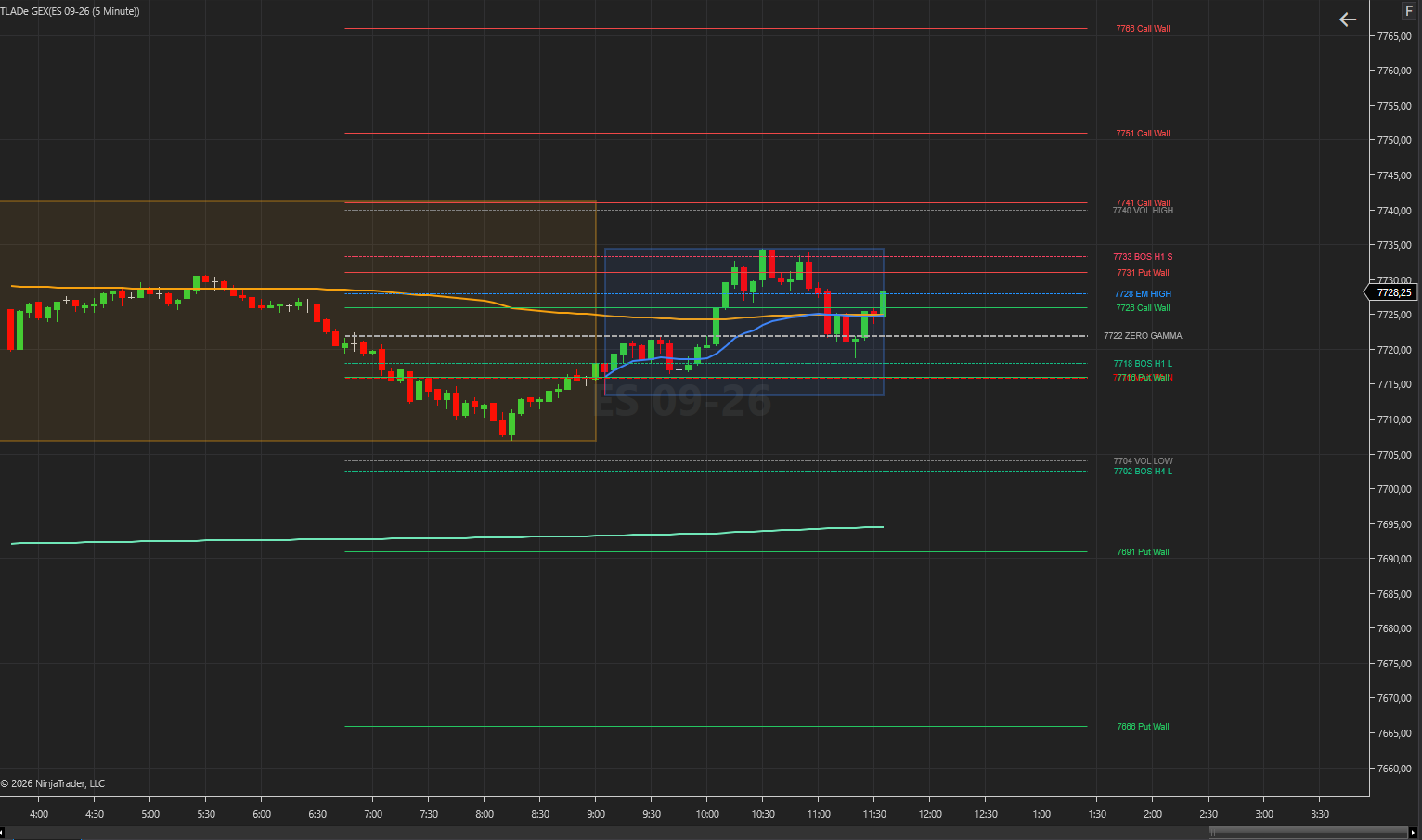
TLADe GEX Dashboard on a 5-minute ES chart in NinjaTrader 8: Call Walls above price, Put Walls below, Zero Gamma, Max Pain, Expected Move and Volatility bands, session box and session AVWAP.

ES on 5 minutes. Price sells off to 7708, reclaims Zero Gamma at 7722, stalls under 7740 Vol High and the 7741 Call Wall, then settles back on Zero Gamma. Every line on the chart is drawn by the indicator.
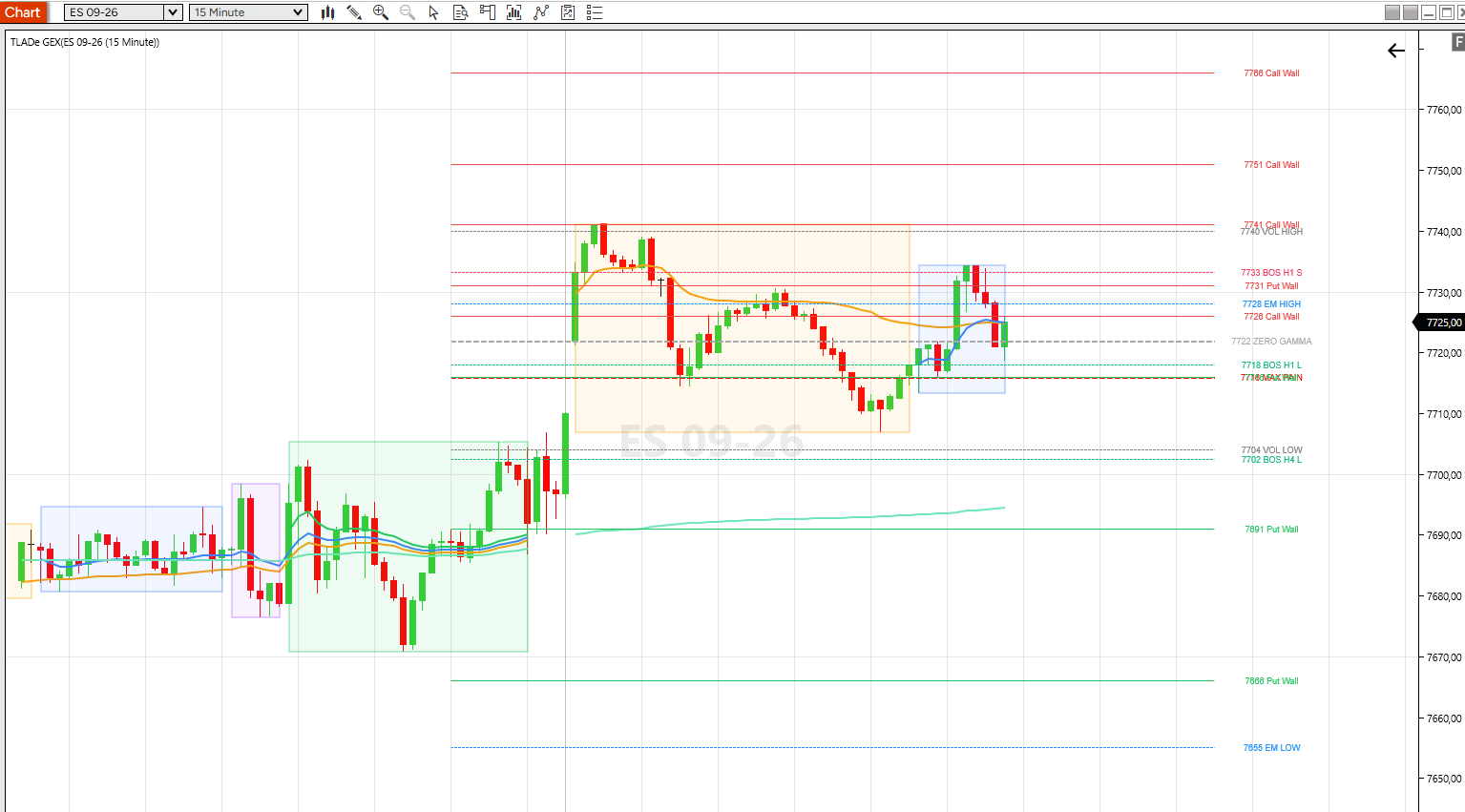
TLADe GEX Dashboard on a 15-minute ES chart in NinjaTrader 8, light theme: GEX walls, Zero Gamma, Max Pain, Expected Move bands, breakout markers and session boxes.

The same day on 15 minutes, light theme. Wider structure: breakout markers, session boxes and the session AVWAPs alongside the GEX levels.
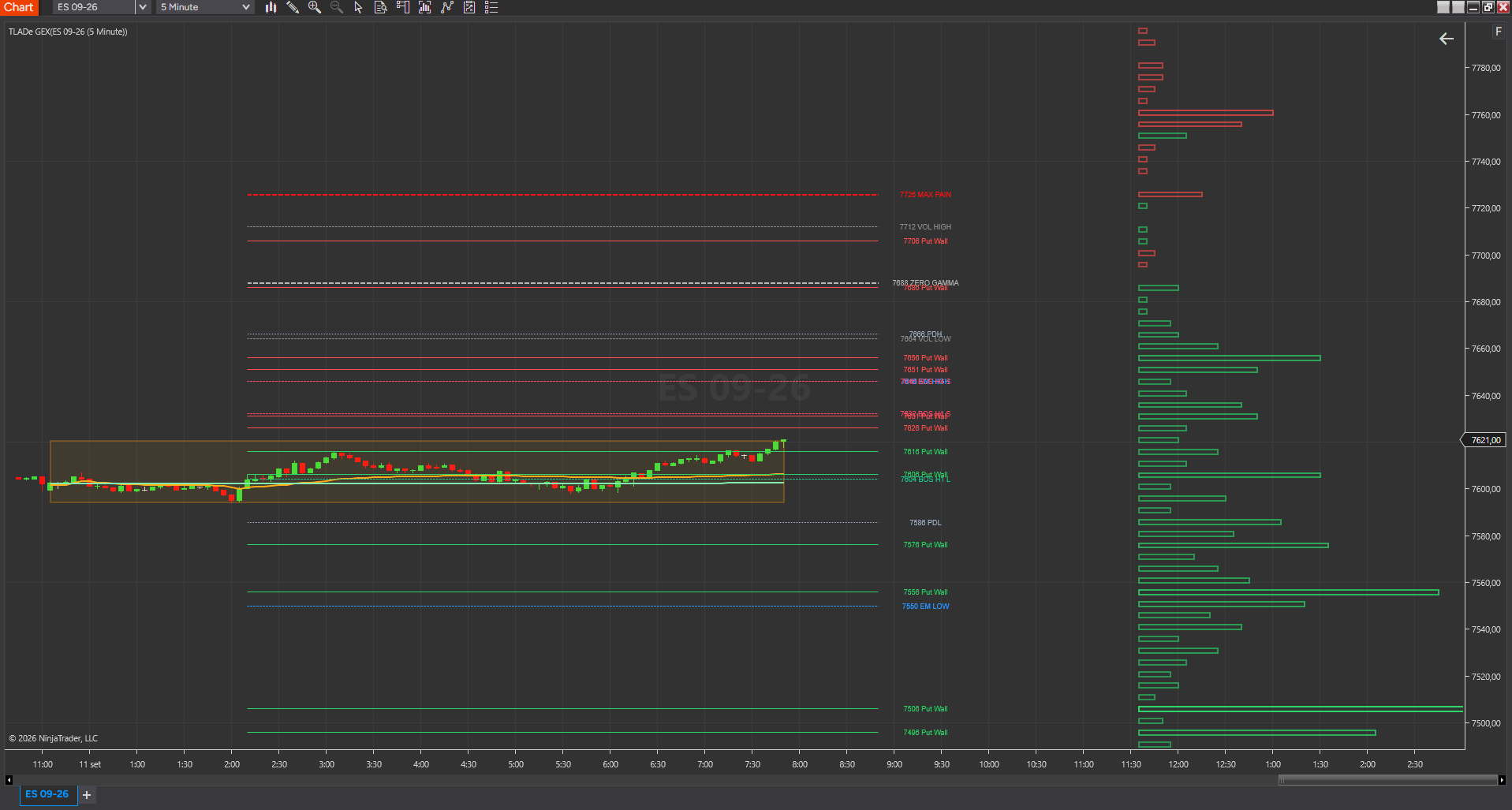
TLADe GEX Dashboard on a 5-minute ES chart in NinjaTrader 8 with the GEX profile histogram plotted on the right of the chart next to the price scale.

The GEX profile on the right: gamma exposure by strike, so you see where the positioning is concentrated and not only where the top levels sit.
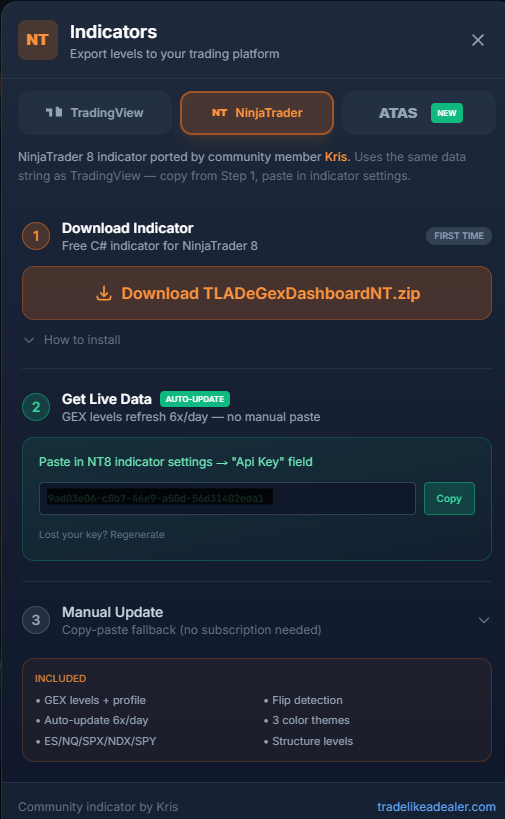
Get started in 3 steps

1

Download the indicator

Get the .zip from the TLADe Terminal (Bridge tab → NinjaTrader section). Import it into NinjaTrader 8 via Control Center → Tools → Import.

2

Subscribe to TLADe

Any active plan (Daily $1.99, Monthly $9.99, Yearly $99*) unlocks the API. The indicator uses your subscription to fetch live GEX data automatically.

*Prices exclude EU VAT where applicable

3

Add to chart

Apply "TLADe GEX Dashboard" to any ES or NQ chart. The indicator auto-fetches the latest session data on load and refreshes periodically. Configure colors, visibility, and profile width from the settings panel.

How this indicator is maintained Originally contributed by Kris. TLADe has since reviewed and patched it, and it now ships as part of our maintained set: we keep the data feed behind it in sync — the levels it receives are the levels the terminal shows. Chart rendering and platform behaviour remain the author's work. The original source is preserved in the repository next to ours.

Other developers are free to publish their own versions under MIT. Those are independent releases, not reviewed by TLADe — we don't test them, don't keep them in sync with our data format, and can't support them. Take questions to whoever wrote them.

Source, forks and every published version: github.com/tradelikeadealer/tlade-bridges · all releases

Ready to trade with structure?

See the same GEX levels professional dealers use — directly on your NinjaTrader chart, auto-updated across every session.

Start with TLADe